

Cell comments with Liveblocks
In this tutorial, you will add threaded comments anchored to individual Handsontable cells with Liveblocks Comments. You will learn how to attach a comment thread to a cell through thread metadata, and how to render a comment pin and composer inside a cell with a custom renderer.
Overview
Try the live example on Liveblocks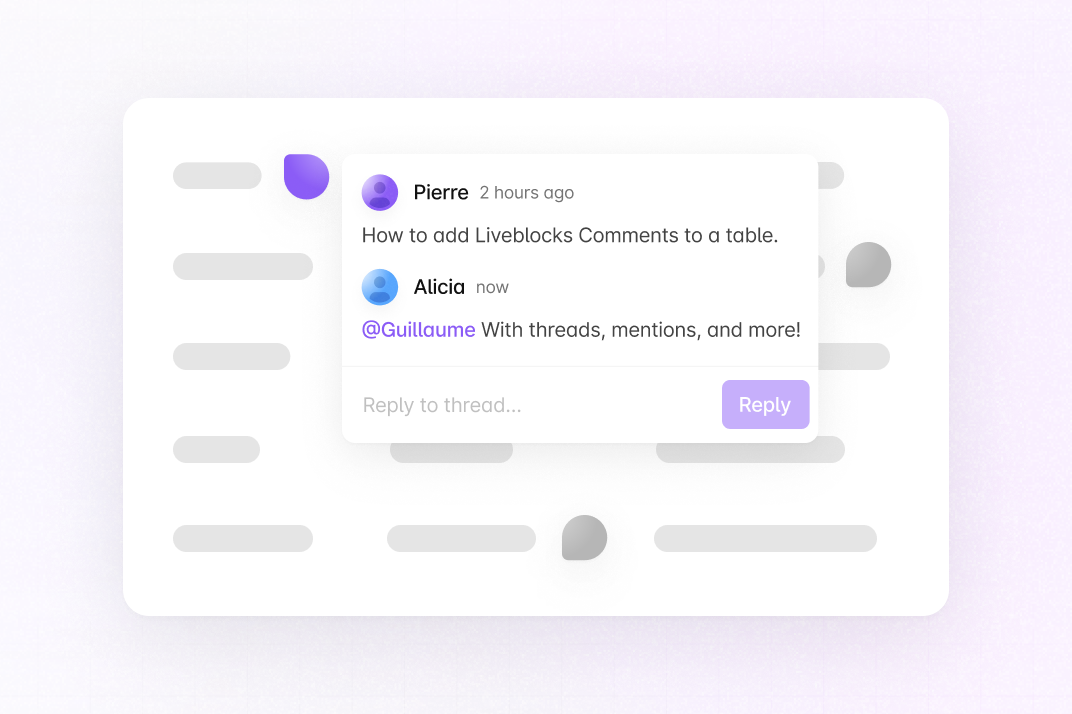
This recipe adds Liveblocks Comments to a Handsontable grid so users can discuss individual cells. Each comment thread carries metadata (the cell’s rowId and columnId) that anchors the thread to one cell. A custom cell renderer reads the threads for the room, finds the one matching the cell, and shows either a “start a comment” pin or the existing thread.
Liveblocks Comments runs against a hosted backend that needs your own API key, so the grid cannot run inside this page. The code below is the complete client. Follow the steps to wire it into a Next.js app, or open the live example above.
Difficulty: Intermediate
Time: ~20 minutes
Stack: Next.js (App Router), React, Liveblocks Comments, @liveblocks/react-ui, Handsontable, @handsontable/react-wrapper
What You’ll Build
A data grid where every cell can hold a comment thread:
- Hovering a cell reveals a pin to start a comment on that cell
- A cell with an existing thread shows a filled pin; clicking it opens the thread
- Threads are anchored to a stable
rowId(the row’sidfield) andcolumnId(the column key), so they stay attached to the right data even as rows reorder
Before you begin
This recipe assumes a Next.js app using the App Router. You also need a free Liveblocks account to get a public API key.
Install the dependencies:
npm install @liveblocks/client @liveblocks/react @liveblocks/react-ui @handsontable/react-wrapper handsontableScaffold the Liveblocks configuration:
npx create-liveblocks-app@latest --init --framework reactCopy your public API key from the Liveblocks dashboard and use it in place of {{PUBLIC_KEY}} in Room.tsx (Step 3).
Define the thread metadata
TypeScript declare global {interface Liveblocks {ThreadMetadata: {rowId: string;columnId: string;};}}export {};What’s happening:
ThreadMetadatadeclares the custom fields stored on every comment thread. Here a thread carries therowIdandcolumnIdof the cell it belongs to. Liveblocks lets you query and filter threads by this metadata, which is how each cell finds its own thread.Why anchor to
rowId, not the visual row index? A row’s position changes when the grid is sorted or rows are inserted, but itsiddoes not. Anchoring to a stablerowIdkeeps a comment attached to the same record no matter where it renders.Import the Comments styles
Import the default Liveblocks UI styles once, in your root layout:
import "@liveblocks/react-ui/styles.css";Then add the cell-level styles. The comment pin is hidden until you hover the cell, and cells get enough height to sit a pin comfortably:
CSS .comment-cell-trigger {opacity: 0;transition: opacity 0.15s ease;}.comment-cell:hover .comment-cell-trigger,.comment-cell-trigger[data-open] {opacity: 1;}.handsontable td {vertical-align: middle;}.handsontable .comment-cell {min-height: 40px;}What’s happening:
@liveblocks/react-ui/styles.cssstyles the composer and thread UI. The.comment-cell-triggerrule keeps the “add comment” pin invisible until the row is hovered (or the composer is open), so the grid stays uncluttered.Set up the room
TypeScript "use client";import { ReactNode } from "react";import {LiveblocksProvider,RoomProvider,ClientSideSuspense,} from "@liveblocks/react/suspense";export function Room({ children }: { children: ReactNode }) {return (<LiveblocksProvider publicApiKey={"{{PUBLIC_KEY}}"}><RoomProvider id="my-room"><ClientSideSuspense fallback={<div>Loading…</div>}>{children}</ClientSideSuspense></RoomProvider></LiveblocksProvider>);}What’s happening:
LiveblocksProviderconnects to your Liveblocks project,RoomProviderjoins the room"my-room", andClientSideSuspensewaits for the room to load before rendering. Comments need noinitialStorage, because threads are stored by the Comments product, not in room storage.Share threads through React context
TypeScript "use client";import { useState, createContext, useContext } from "react";import { useThreads } from "@liveblocks/react/suspense";import { ThreadData } from "@liveblocks/client";export type OpenCell = { rowId: string; columnId: string } | null;type CellThreadContextValue = {threads: ThreadData[];openCell: OpenCell;setOpenCell: (openCell: OpenCell) => void;};const CellThreadContext = createContext<CellThreadContextValue | null>(null);export function CellThreadProvider({children,}: {children: React.ReactNode;}) {const { threads } = useThreads();const [openCell, setOpenCell] = useState<OpenCell>(null);return (<CellThreadContext.Provider value={{ threads, openCell, setOpenCell }}>{children}</CellThreadContext.Provider>);}export function useCellThread(): CellThreadContextValue {const context = useContext(CellThreadContext);if (!context) {throw new Error("useCellThread must be used within CellThreadProvider");}return context;}What’s happening:
useThreadsreturns every comment thread in the room. The provider puts that list, plus anopenCellstate, on a context so each rendered cell can read it without callinguseThreadsitself.openCelltracks which cell’s thread should open automatically, for example right after a user posts the first comment on a cell.Why one
useThreadscall? Handsontable re-renders cells frequently. CallinguseThreadsonce at the provider and sharing the result through context avoids one subscription per cell.Build the comment cell renderer
TypeScript "use client";import {CommentPin,FloatingComposer,FloatingThread,Icon,} from "@liveblocks/react-ui";import type { HotRendererProps } from "@handsontable/react-wrapper";import { useSelf } from "@liveblocks/react";import { CSSProperties, useState } from "react";import { useCellThread } from "./CellThreadContext";export function CommentCell({instance,row,col,prop,value,}: HotRendererProps) {const columnId = String(prop);const rowId = String(instance.getDataAtRowProp(row, "id") ?? "");if (!rowId || !columnId) {return null;}return (<CommentCellBodykey={`${row}-${col}-${rowId}-${columnId}`}rowId={rowId}columnId={columnId}value={value}/>);}const COMMENT_PIN_SIZE = 24;const commentPinStyle = {"--lb-comment-pin-padding": "3px",width: COMMENT_PIN_SIZE,height: COMMENT_PIN_SIZE,cursor: "pointer",marginTop: 3,boxSizing: "border-box",} as CSSProperties;function CommentCellBody({rowId,columnId,value,}: {rowId: string;columnId: string;value: unknown;}) {const { threads, openCell, setOpenCell } = useCellThread();const [isComposerOpen, setIsComposerOpen] = useState(false);const currentUserId = useSelf((self) => self.id) ?? undefined;const thread = threads.find(({ metadata }) =>metadata.rowId === rowId && metadata.columnId === columnId,);const defaultOpen =openCell !== null &&openCell.rowId === rowId &&openCell.columnId === columnId;const metadata = { rowId, columnId };return (<divclassName="comment-cell"style={{display: "flex",alignItems: "center",gap: 12,}}><span className="comment-cell-value">{String(value ?? "")}</span>{!thread ? (<divclassName="comment-cell-trigger"data-open={isComposerOpen || undefined}><FloatingComposermetadata={metadata}onComposerSubmit={() => setOpenCell(metadata)}onOpenChange={setIsComposerOpen}style={{ zIndex: 10 }}><CommentPincorner="top-left"style={commentPinStyle}userId={currentUserId}>{!isComposerOpen ? (<Icon.Plus style={{ width: 14, height: 14 }} />) : null}</CommentPin></FloatingComposer></div>) : (<FloatingThreadthread={thread}defaultOpen={defaultOpen}onOpenChange={(isOpen) => {if (!isOpen && defaultOpen) {setOpenCell(null);}}}onComposerSubmit={() => setOpenCell(metadata)}style={{ zIndex: 10 }}autoFocus><CommentPincorner="top-left"style={commentPinStyle}userId={thread.comments[0]?.userId}/></FloatingThread>)}</div>);}What’s happening:
CommentCellis a React renderer for Handsontable. From the renderer props it derives the cell’scolumnId(the column key) androwId(read from the row’sidfield viainstance.getDataAtRowProp).CommentCellBodythen looks up the thread whose metadata matches this cell:- No thread yet: it renders a
FloatingComposerbehind aCommentPinwith a plus icon. Submitting the composer creates a thread withmetadata = { rowId, columnId }, anchoring it to this cell. - Thread exists: it renders a
FloatingThreadbehind a filledCommentPin. Clicking the pin opens the existing conversation.
useSelfreads the current user’s id so the new-comment pin shows their avatar.- No thread yet: it renders a
Wire the renderer into the grid
What’s happening:
CollaborativeAppwraps the grid inCellThreadProvider(Step 4) and assignsCommentCellas therendererfor eachHotColumn. The columns arereadOnlyso clicks open comments instead of starting cell edits, andminRowHeights={50}gives each row room for a pin. Finally, the page rendersCollaborativeAppinside theRoom:TypeScript import { Room } from "./Room";import { CollaborativeApp } from "./CollaborativeApp";export default function Page() {return (<Room><CollaborativeApp /></Room>);}
How It Works - Complete Flow
- A user joins:
RoomProviderconnects to"my-room";CellThreadProvidercallsuseThreadsonce and shares the thread list through context. - Handsontable renders a cell:
CommentCellderivesrowIdfrom the row’sidandcolumnIdfrom the column key. - The cell finds its thread:
CommentCellBodysearches the shared threads for one whose metadata matches{ rowId, columnId }. - No thread: hovering reveals a pin; the
FloatingComposercreates a thread with that metadata on submit, anchoring it to the cell. - Liveblocks broadcasts the new thread; every user’s
useThreadsupdates and the matching cell now shows a filled pin. - Thread exists: clicking the pin opens a
FloatingThreadwith the full conversation; replies sync to everyone in the room. - Rows reorder: because threads are keyed by the stable
rowId, each comment stays attached to its record rather than a screen position.
What you learned
- How to declare
ThreadMetadataso each comment thread stores the cell it belongs to. - Why anchoring threads to a stable
rowIdkeeps comments attached through sorting and row inserts. - How to call
useThreadsonce and share the result through React context to avoid per-cell subscriptions. - How a custom Handsontable renderer can host Liveblocks’
FloatingComposer,FloatingThread, andCommentPininside a cell. - How
readOnlycolumns let cell clicks open comments instead of starting an edit.
Next steps
- Add authentication so threads carry real user identities instead of a public API key in the client.
- Add multiplayer editing to the same grid with the Liveblocks multiplayer recipe.
- Add a notifications inbox so users are alerted when someone replies to a thread they are part of.
- Show a count of open threads per row by grouping
useThreadsresults byrowId.